Simplify mobile development

With low code, gain a competitive edge with speed and cost-efficiency. Launch your app on time with agility and rapidly build MVPs. Bring your innovative ideas to life effortlessly with expert support from Kuika.

With Kuika you can build fully native mobile applications. This enables fast performance, smooth animations, and improved access to all native device capabilities.

An array of mobile application screens showcasing various features built using Kuika, including maps, login interfaces, student management, car rental, banking, health information, and product listings, demonstrating Kuika's native mobile app capabilities for fast performance and smooth animations.

Kuika helps development teams to improve their existing software by leveraging it with a mobile-end-point.

Native Device Capabilities

Take advantage of device capabilities, such as camera, QR or barcode scanner, photo gallery, and location.

A black and white camera icon, representing the capability to utilize device camera functions for applications like barcode scanning or photo capturing.A colorful map icon with a location arrow, representing the ability to leverage device location services for apps requiring geolocation features.

API's

Build a mobile application that utilizes your existing API software.

A blue icon with the letters 'API,' representing the ability to build mobile applications utilizing existing API software.

Get your app with one click

Export your whole source code as a project. Dig into the generated Kotlin or SwiftUI code to leverage your mobile application development lifecycle.

A blue icon with a stylized 'A,' representing the iOS App Store for deploying applications on Apple devices.A green Android robot icon, representing the Google Play Store for deploying applications on Android devices.
Two women working on a desktop and a mobile application, illustrating seamless work transitions across multiple frameworks and devices for multi-experience apps.

Multi-experience Applications

Begin work on one device and seamlessly transition to another, maintaining full capability across multiple frameworks and digital touchpoints.

Kuika can also be used as an internal end-to-end development tool. A company made many internal tools on Kuika to achieve digital transformation. All of their departments accomplished digital transformation.

A high-security production facility was developing several software applications all with difference architecture setups and they were having difficulty maintaining the team and tech sustainability. They needed a platform to standardize their architecture on internal applications. Kuika was the solution to their problem. They re-built their internal applications with Kuika and now they are developing new modules with no compatibility issues.

Start using Kuika now!
Illustration of a worker in a blue hard hat holding a tablet, surrounded by icons of a text message and settings gear, representing Kuika’s use as an internal end-to-end development tool for digital transformation.

Use Cases

Take your business to the next level. Whether you need omnichannel customer experiences or core system modernization, Kuika has you covered.

Learn. Build. Grow.

Dive deeper into Kuika with expert-led videos, detailed manuals, tutorials, and a vibrant community behind you.
Let's build,
Intelligent Systems

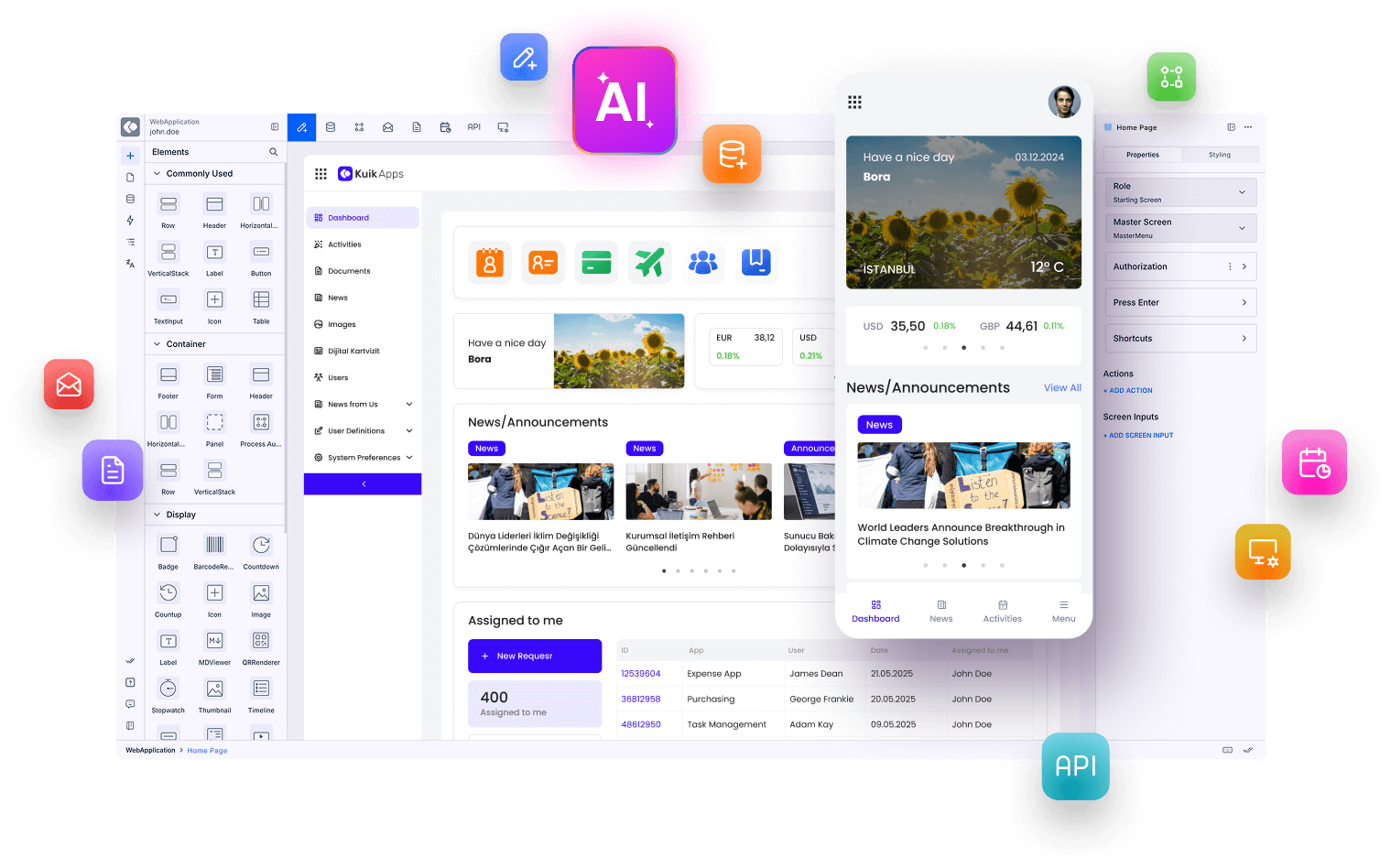
Kuika platform interface showing web and mobile app design screens with floating AI and development icons, alongside the headline ‘Let’s build Intelligence Systems.’